
Hop Web Development Guide
Building or customizing Hop Web
Hop Web is available as a basic Docker container image from Docker Hub. Check the user manual for Hop Web for more information.
Follow the steps in this guid to learn how you can build your own Hop Web installation or docker image.
| Hop Web is built with Eclipse RAP, and translates the default Hop Gui desktop application into a web version. It is functional, but there are limitations. Feel free to contribute if you’d like to improve Hop Web. |
Prerequisites
Before starting, ensure you have:
-
Java 21 installed and available in your PATH
-
Apache Hop built from source (run
mvn clean install -DskipTestsin the Hop source directory) -
Apache Tomcat 10 downloaded and extracted
Build Hop
Each release publishes a war and a plugins zip for your own Tomcat (org.apache.hop:hop-web on Maven Central). The user manual explains how to deploy them. This page covers building them yourself.
Running your own Hop Web environment is straightforward but requires you to build Hop. Follow the development environment setup guide to get the Hop source code and build Hop.
After building Hop, note the path to your Hop build directory (e.g., ~/git-hop/hop). You’ll need to run the commands below from this directory.
The steps to set up the default Docker image are included in a helper script docker/create_hop_web_container.sh in the Hop code base.
This should get you started to make modifications or create your own version entirely.
Additional info in Building the Hop Web Docker container
Tomcat Configuration
Copy files
We’ll use Apache Tomcat in this example. If you use another application server, the process should be similar.
This version of Hop is built with Java 21, so you’ll need Tomcat 10.1 or later (or the official Tomcat 10 Docker image).
The build puts Hop Web for Tomcat in assemblies/web-war: hop-web-<version>.war and hop-web-<version>-plugins.zip in target, and the same content unpacked in target/webapp (the web application) and target/tomcat (plugins and jdbc-drivers).
The scripts in the war already have the right classpath, hop-ui-rcp is left out, and hop-config.json registers the projects under ${HOP_CONFIG_FOLDER}.
# Set CATALINA_HOME if it's not already set (replace with your actual Tomcat installation path)
export CATALINA_HOME="${CATALINA_HOME:-/path/to/your/tomcat}"

# The web application, as ROOT (not /hop/)
cp assemblies/web-war/target/hop-web-*.war $CATALINA_HOME/webapps/ROOT.war

# plugins/ and jdbc-drivers/
unzip -o assemblies/web-war/target/hop-web-*-plugins.zip -d $CATALINA_HOME
Settings
Hop Web finds config in the web application and plugins and jdbc-drivers in $CATALINA_BASE by itself (HopWebDefaults), so it starts without further settings.
To change a folder or set other options, pass them as system properties in $CATALINA_HOME/bin/setenv.sh:
# specify where Hop should store audit information
HOP_AUDIT_FOLDER="${CATALINA_HOME}/webapps/ROOT/audit"
# specify the hop log level
HOP_LOG_LEVEL="Basic"

CATALINA_OPTS="${CATALINA_OPTS} -DHOP_AUDIT_FOLDER=${HOP_AUDIT_FOLDER} -DHOP_LOG_LEVEL=${HOP_LOG_LEVEL}"
The user manual lists the folder settings and their defaults.
Start Tomcat
Before starting Tomcat, ensure the Tomcat scripts are executable. The startup script requires several other scripts (catalina.sh, setclasspath.sh, etc.) to be executable as well. Make all scripts executable with:
chmod +x ${CATALINA_HOME}/bin/*.sh
Run bin/startup.sh (Linux/Mac) or bin/startup.bat (Windows).
Hop Web should only take a couple of seconds to start.
Verify Installation
After starting Tomcat, verify the installation:
-
Check Tomcat logs for successful startup:
tail -f $CATALINA_HOME/logs/catalina.outLook for: "Server startup" and "Hop - Projects enabled" -
Verify port 8080 is listening:
lsof -i :8080(Linux/Mac) ornetstat -an | grep 8080(Linux) -
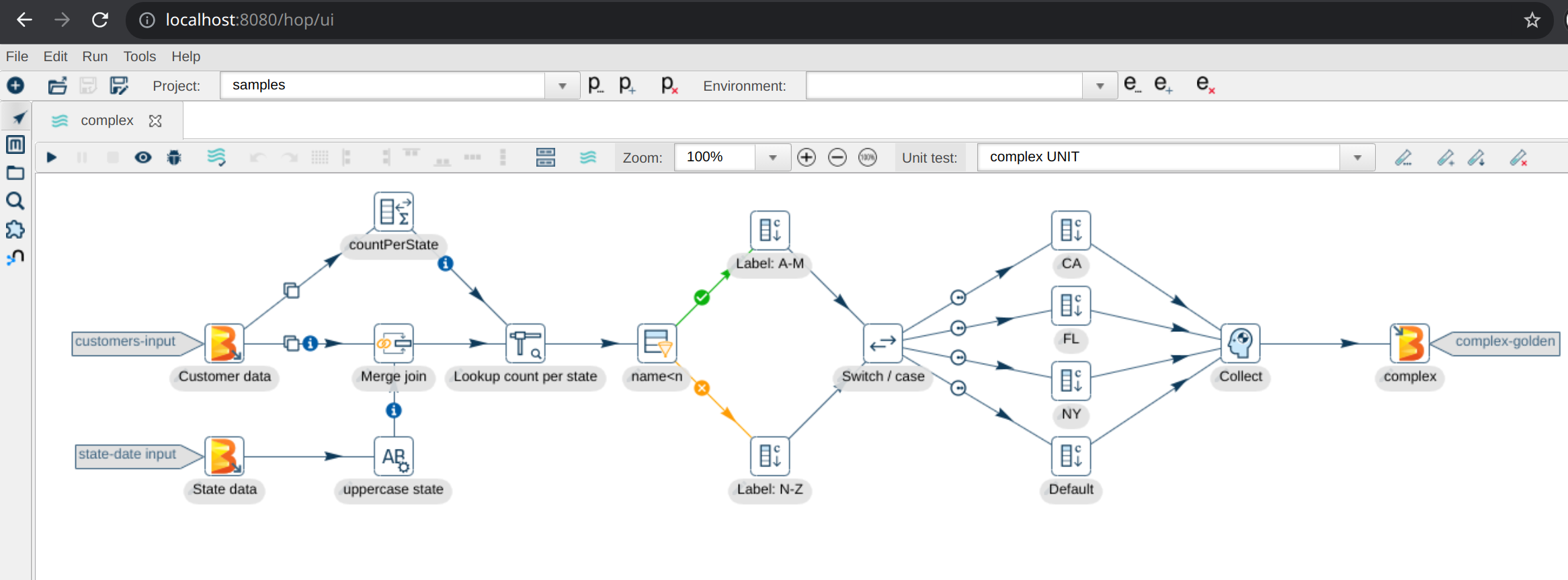
Access Hop Web: Open http://localhost:8080/ui in your browser
Troubleshooting
Tomcat won’t start
-
Check Tomcat logs:
$CATALINA_HOME/logs/catalina.outfor errors -
Verify Java 21: Run
java -version(should show version 21) -
Check port availability:
lsof -i :8080(Linux/Mac) - port 8080 must be free
Permission denied errors
-
Make scripts executable:
chmod +x $CATALINA_HOME/bin/*.sh -
Check file permissions: Ensure webapp files are readable
ClassNotFoundException or missing libraries
-
Verify the war was unpacked:
ls $CATALINA_HOME/webapps/ROOT/WEB-INF/lib/ | wc -l(should show 100+ files) -
Check the plugins folder:
$CATALINA_HOME/pluginsshould exist, orHOP_PLUGIN_BASE_FOLDERSshould point to one
Hop Web shows 404 or blank page
-
Verify webapp location: Should be in
webapps/ROOT/(notwebapps/hop/) -
Check access URL: Use http://localhost:8080/ui (not
/hop/ui) -
Check Tomcat logs: Look for deployment errors in
catalina.out
RCP or SWT-related errors
-
No RCP jar:
ls $CATALINA_HOME/webapps/ROOT/WEB-INF/lib/rcpshould show nothing. The war leaveshop-ui-rcpout; a jar copied in by hand brings the error back.
Settings not picked up
-
Check setenv.sh:
grep HOP_ $CATALINA_HOME/bin/setenv.sh -
Check the log: at startup Hop Web logs each folder it chose itself, for example
HOP_PLUGIN_BASE_FOLDERS=… (default) -
Restart Tomcat: Always restart after modifying
setenv.sh
Projects not found
-
Check hop-config.json: the project paths should start with
${HOP_CONFIG_FOLDER} -
Verify variable substitution:
grep HOP_CONFIG_FOLDER $CATALINA_HOME/webapps/ROOT/config/hop-config.json -
Check project directories:
ls $CATALINA_HOME/webapps/ROOT/config/projects/