
Start
Description
The Start action is a special action, as it is the starting point for all workflow executions.
| Every workflow needs to have one and only one start action. |
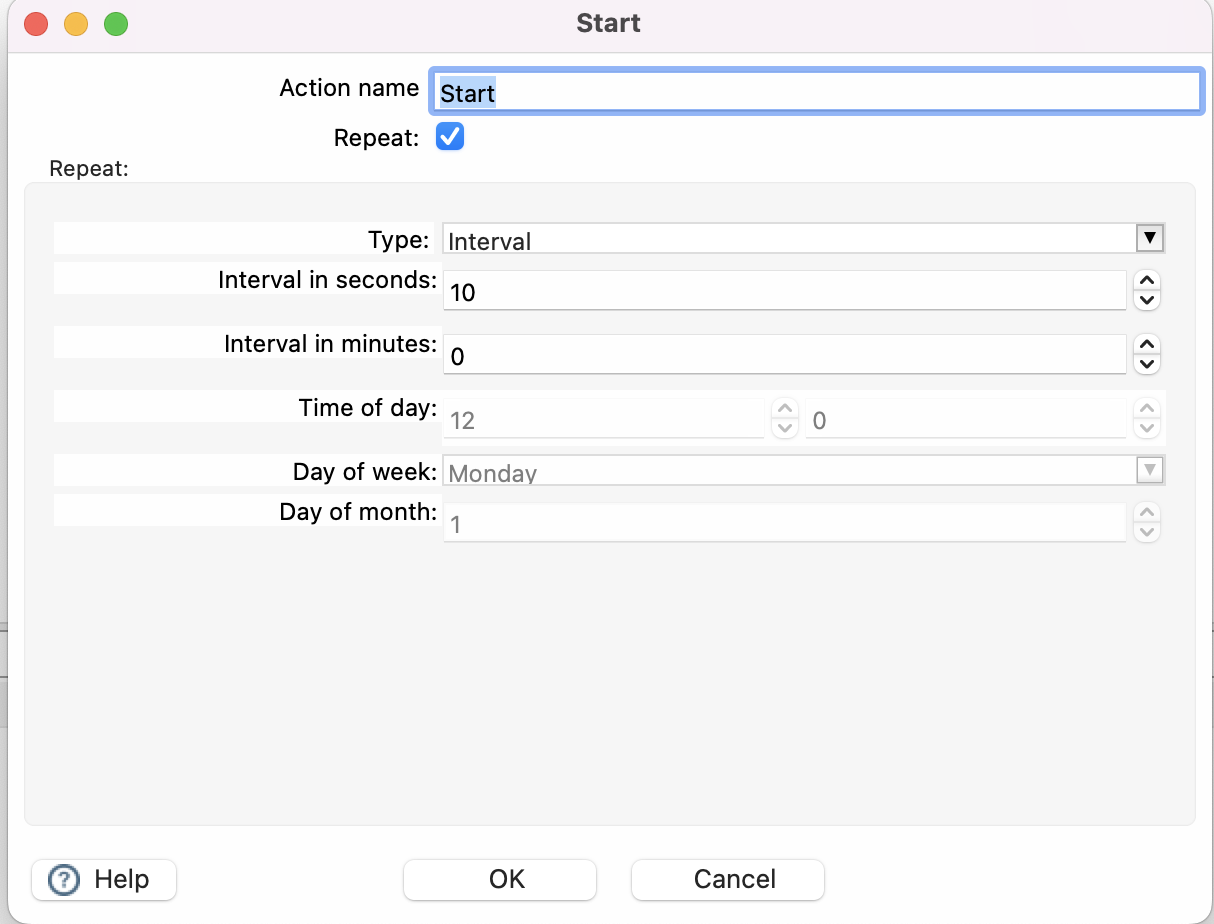
The start action has additional options to repeat a workflow. This works in both the local and remote workflow engine, but is mainly available for historical reasons and shouldn’t be considered as an alternative to cron, Apache Airflow or any other type of scheduling. See Scheduling workflows and pipelines.
|
When you activate the repeat option the workflow will continue to run and restart based on the interval you specify. This can be on a fixed day with a specific timestamp. Or every x seconds/minutes
While this does not replace a scheduler it can be used for basic scheduling. Please note that using this will keep the workflow in a running state meaning the Java process will continue to exist and use resources on the system.
Result
What this action passes on to the next action. See Action results for how results travel through a workflow.
| Result | Value |
|---|---|
True |
Always. With Repeat, after waiting for the next run. |
Hops |
Start does not evaluate a result: only its unconditional hops are followed. A success or failure hop from Start is never followed. |
Result files |
Passed on unchanged. |
Result rows |
Passed on unchanged. |