
Functionality
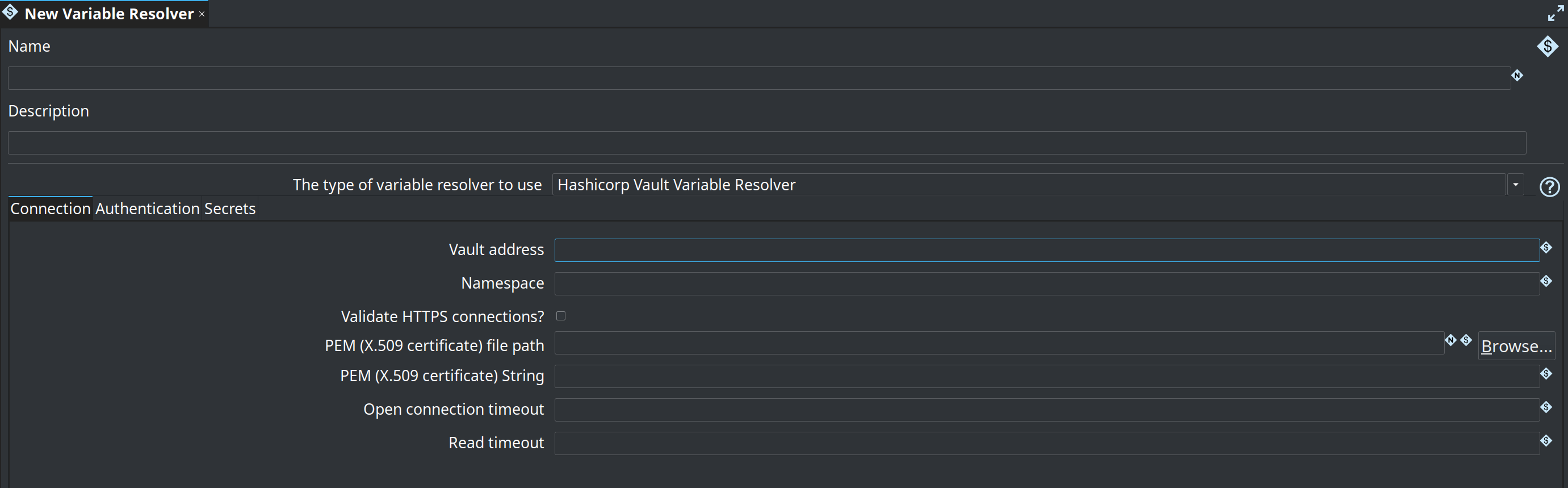
This variable resolver can retrieve secrets from a Hashicorp Vault. The editor groups the options into Connection, Authentication and Secrets. The Authentication tab only shows the fields that belong to the authentication type you picked.
Connection
-
Vault address: The base address and port of the Vault server (for example: https://vault-server:8200)
-
Namespace: The Vault namespace to use (optional, primarily used in enterprise/multi-tenant setups)
-
Validate HTTPS connections?: Verifies the certificate the Vault server presents. On for new resolvers. Leave it on in production, and identify the certificate with one of the two PEM options below when the server does not use a certificate from a public CA.
-
PEM file path: The name of the file (VFS) containing the X.509 certificate string
-
PEM string: The X.509 string itself in case you’re not using a file
-
Open connection timeout: The connection timeout when getting a http(s) connection in milliseconds.
-
Read timeout: The timeout in milliseconds when reading.
|
Validate HTTPS connections? became the default in Hop 2.20.
The option is stored in the resolver, so resolvers created before that keep the setting they have: verification stays off in every resolver definition that was saved with the box unticked, whatever Hop version you upgrade to.
Open your Vault and OpenBAO resolvers and check the option rather than assuming the upgrade covered them.
Hop logs a warning when a resolver reaches an A resolver that verifies the certificate needs to be able to build the chain to a trusted root. Against a Vault with a self-signed certificate or one signed by a private CA, give the resolver that certificate through PEM file path or PEM string; without it the lookup fails and the expression is left unresolved. |
Authentication
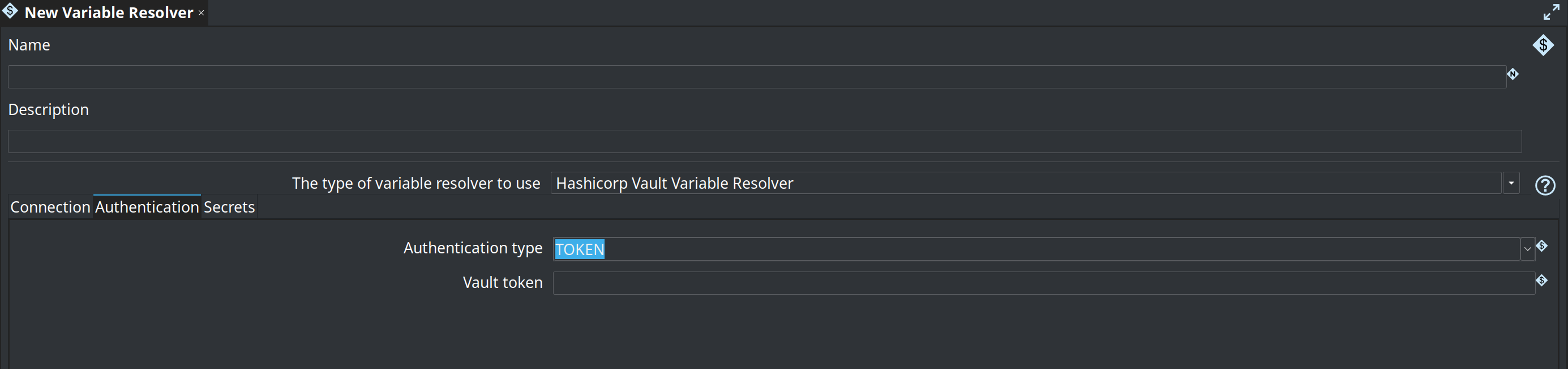
How Hop proves its identity to Vault. TOKEN is the default and keeps existing resolvers working. KUBERNETES is intended for Hop Server (or Hop Gui) running in a Kubernetes pod.
When the authentication type is TOKEN, only the Vault token field is shown:
-
Vault token: The token to use to authenticate.
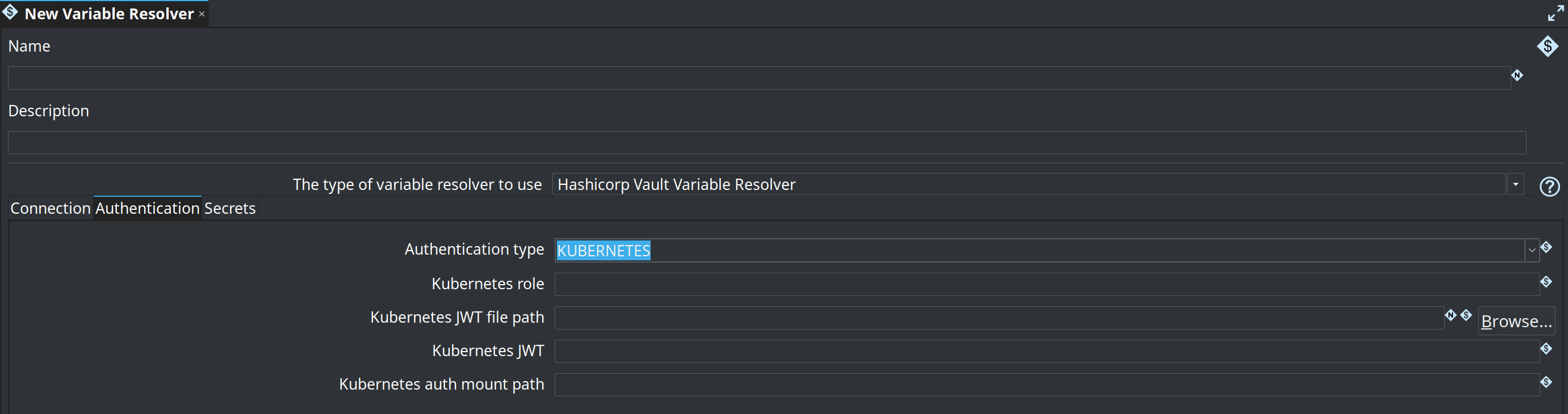
When the authentication type is KUBERNETES, the token field is replaced by the Kubernetes options:
-
Kubernetes role: The Vault Kubernetes auth role bound to this workload’s ServiceAccount.
-
Kubernetes JWT file path: File that holds the ServiceAccount JWT. Defaults to
/var/run/secrets/kubernetes.io/serviceaccount/tokenwhen left empty. -
Kubernetes JWT: Optional JWT string used instead of the file when set (a variable such as
'${KUBERNETES_JWT}'is typical). -
Kubernetes auth mount path: Vault auth mount without the leading
auth/. Defaults tokubernetes.
Secrets

-
Path prefix: an optional path prefix which gets added before the key paths in the resolver expressions. For example, if you put
kv-other/datain here, expression
#{vault:db:password}will resolve internally to:
#{vault:kv-other/data/db:password}The variable expression you can resolve with this plugin type is (as always) in the following format:
#{name:path-key:value-key}
-
name: the name of the variable resolver metadata element to use
-
path-key: the path to the secret in the Vault.
-
value-key: the key of the value to retrieve.
In case we don’t specify a value-key, you will give back the complete JSON string of the secret.
Example
Suppose we have a secret defined in the Vault, in a KV secrets engine:
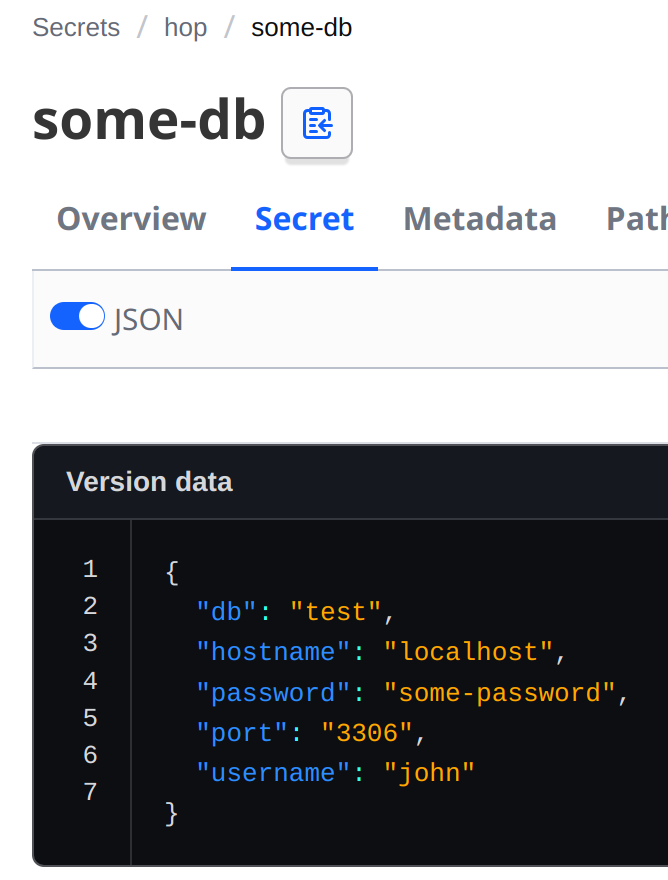
We can define a connection called vault and retrieve values with expressions:
-
#{vault:hop/data/some-db:hostname}: localhost -
#{vault:hop/data/some-db:username}: john -
#{vault:hop/data/some-db}:{"db":"test","hostname":"localhost","password":"some-password","port":"3306","username":"john"}
Kubernetes authentication
When Hop runs inside a Kubernetes pod, prefer KUBERNETES over a long-lived Vault token. Hop reads the pod ServiceAccount JWT, logs in to Vault’s Kubernetes auth backend, and uses the short-lived client token Vault returns. That token is kept in memory, renewed when Vault says it is renewable, and replaced by a fresh login when it expires. It is never stored in the resolver metadata.
On the Vault side, enable Kubernetes auth and bind a role to the ServiceAccount Hop runs as:
vault auth enable kubernetes
vault write auth/kubernetes/config kubernetes_host=https://$KUBERNETES_SERVICE_HOST:$KUBERNETES_SERVICE_PORT
vault write auth/kubernetes/role/hop \
    bound_service_account_names=hop \
    bound_service_account_namespaces=hop \
    policies=hop \
    ttl=1h
In the variable resolver metadata, set Authentication type to KUBERNETES on the Authentication tab, Kubernetes role to hop, and Vault address on the Connection tab to the in-cluster Vault URL. Leave the JWT file path empty to use the token Kubernetes mounts at /var/run/secrets/kubernetes.io/serviceaccount/token.