
Apache Calcite
Apache Calcite is a dynamic data management framework with a SQL parser and pretty-printer.
The Calcite technology plugin uses org.apache.calcite.sql.pretty.SqlPrettyWriter to format SQL in Hop Gui.
Format SQL
When the plugin is installed, a Format SQL button appears on:
-
SQL editor tabs in the Database perspective (and the floating Database window / bottom dock)
-
SQL files opened in the File explorer
-
SQL fields in transform and action dialogs that use the shared text-editor toolbar (Table Input, Execute SQL script, and similar)
Click the button to pretty-print the selection, or the whole buffer when nothing is selected.
Undo (Ctrl+Z / Cmd+Z) restores the SQL from before the format.
In a Database SQL editor the formatter picks a Calcite dialect from the tab’s relational connection (MySQL, PostgreSQL, Oracle, SQL Server, and others).
Quoted identifiers are accepted in PostgreSQL/ANSI double quotes ("public".table), MySQL backticks, and SQL Server brackets.
Hop variable expressions such as '${TABLE_NAME}' are preserved.
| Comments are removed during formatting, unless you select all text except for the comments. |
Options
Open the Configuration perspective, then Plugins → Apache Calcite SQL formatter.
The fields are Calcite’s SqlFormatOptions: indentation, line length, whether clauses and list items start on a new line, CASE layout, WINDOW layout, keyword case, and whether to quote every identifier.
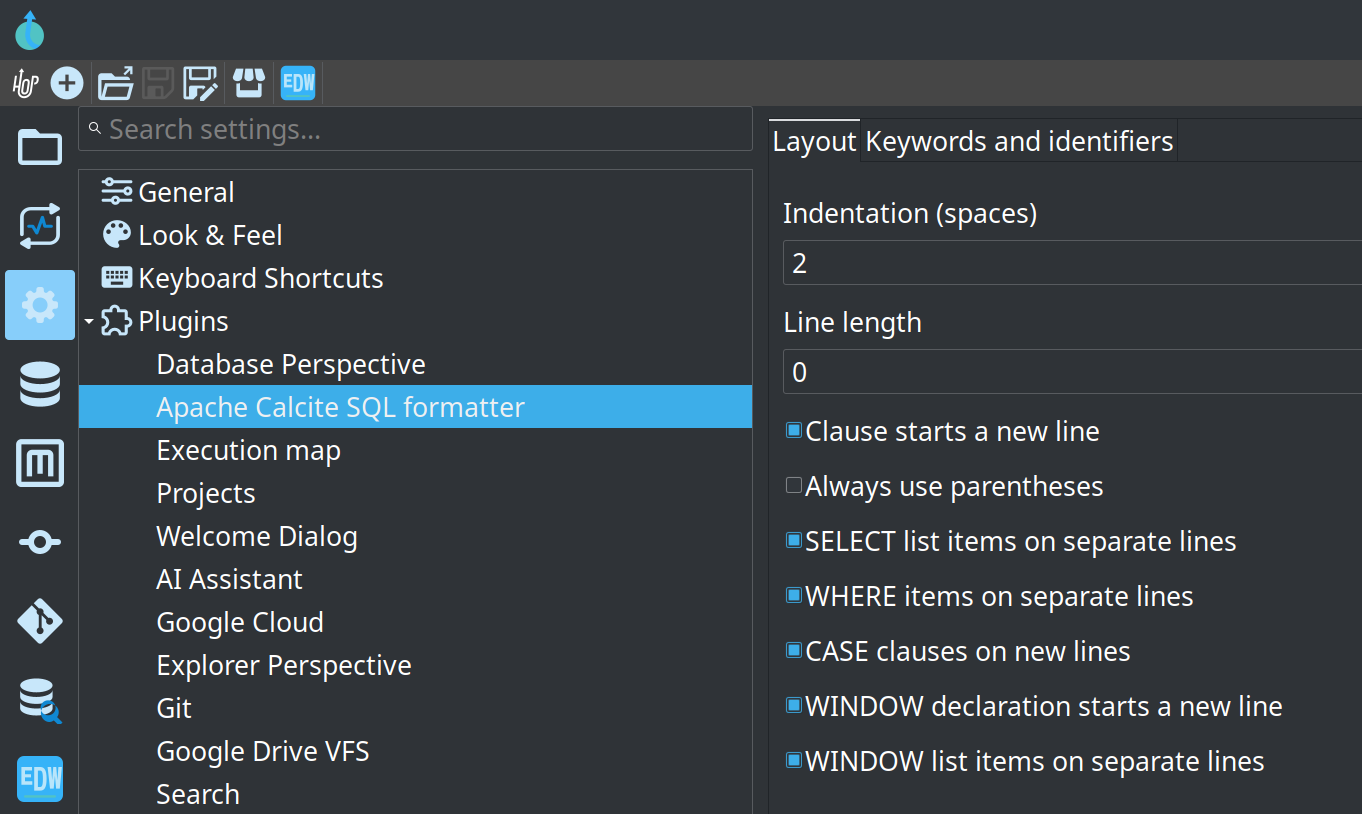
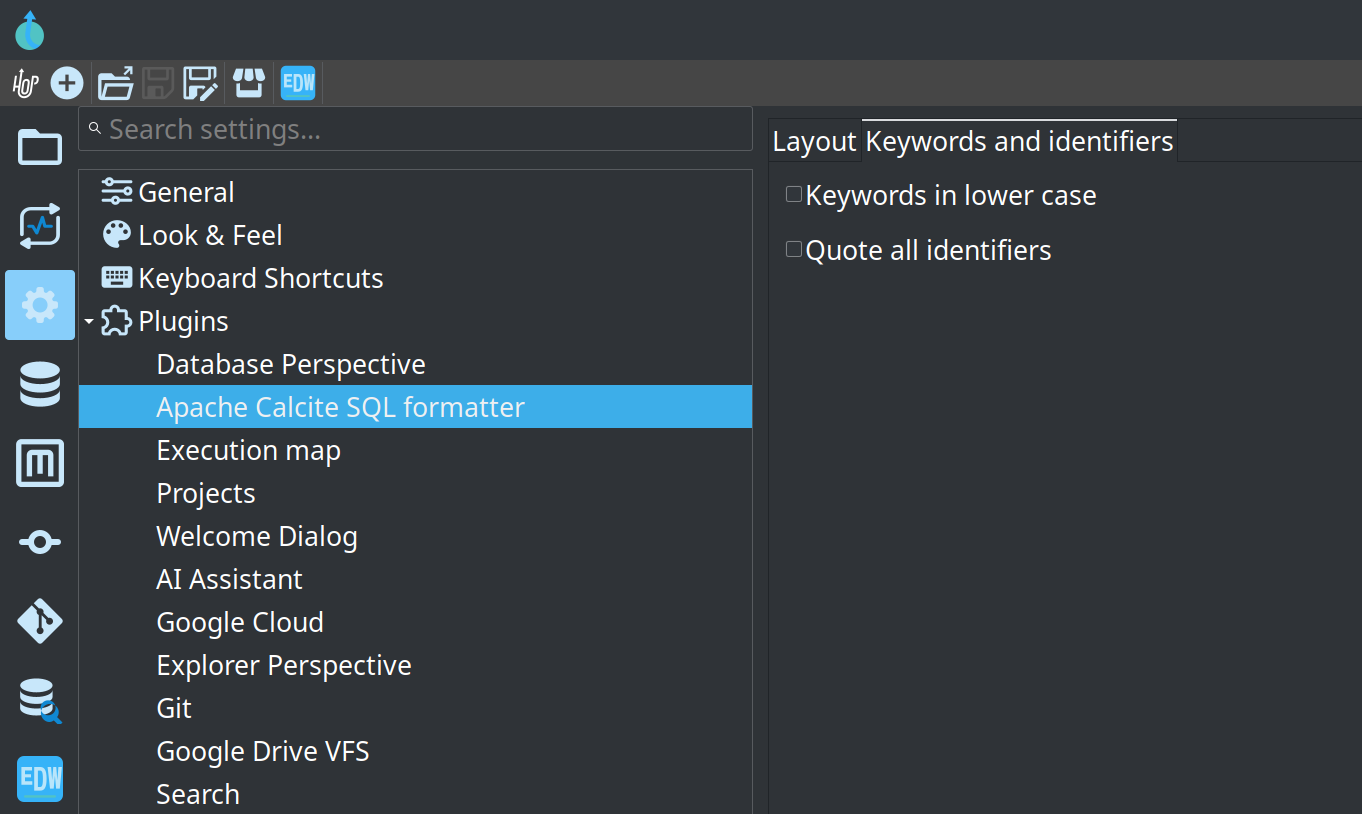
Changes are saved immediately to hop-config.json and used the next time you click Format SQL.
Calcite cannot parse every vendor extension. Statements it does not understand are left unchanged when they sit next to statements it can format; if nothing in the buffer can be parsed, an error dialog explains why.
See the official documentation:
-
GUI plugins and toolbars (this plugin is the SQL formatter example)